Arkaio retrieves approved vendor bills from Sage Intacct, lets you choose which ones to pay, generates the payment file (pain.001), submits it to the approval workflow and then sends it to the bank.
Select bills
The Vendor bills page lists the bills to pay with their due date, amount, priority and the status of the vendor's bank details. Saved views and filters help you quickly find urgent bills or the bills of a specific vendor.
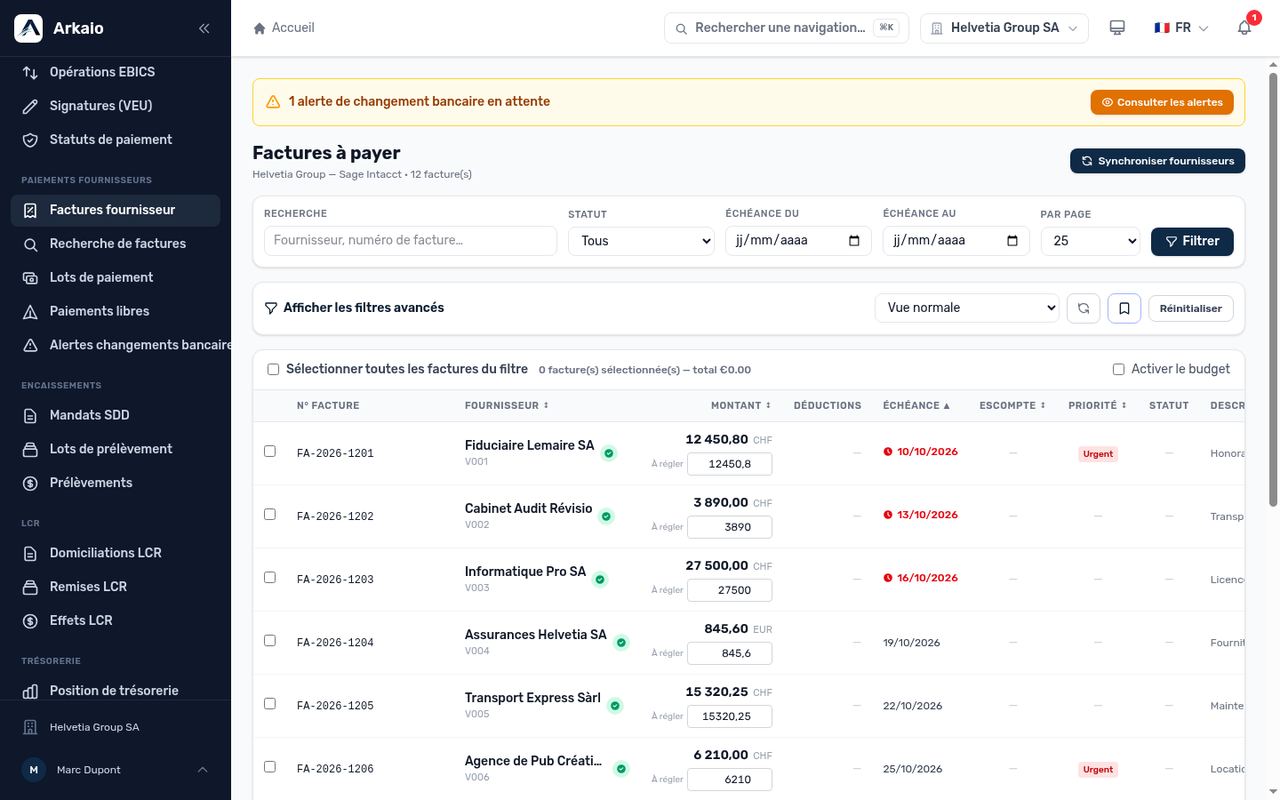
Vendor bills to pay
- Filter the bills (due date, vendor, currency).
- Check the bills to pay: the total of the selection is displayed.
- Choose the bank account to debit and the execution date.
- Click Generate payment.
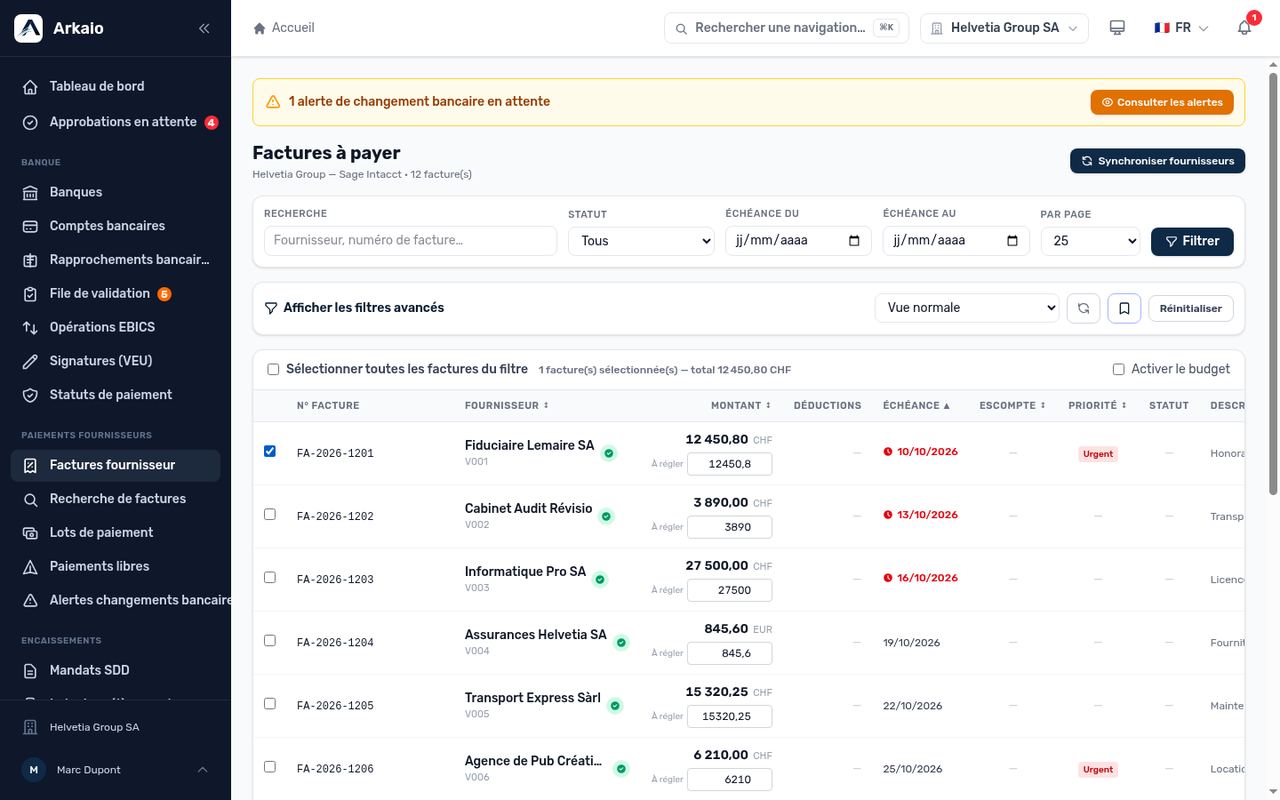
Bill selection
Important — A bill cannot be paid if the vendor's bank details are incomplete or if a bank detail change is awaiting approval.
Search for a bill
Bill search finds any bill, paid or unpaid, by number, vendor or amount, and shows its payment history.
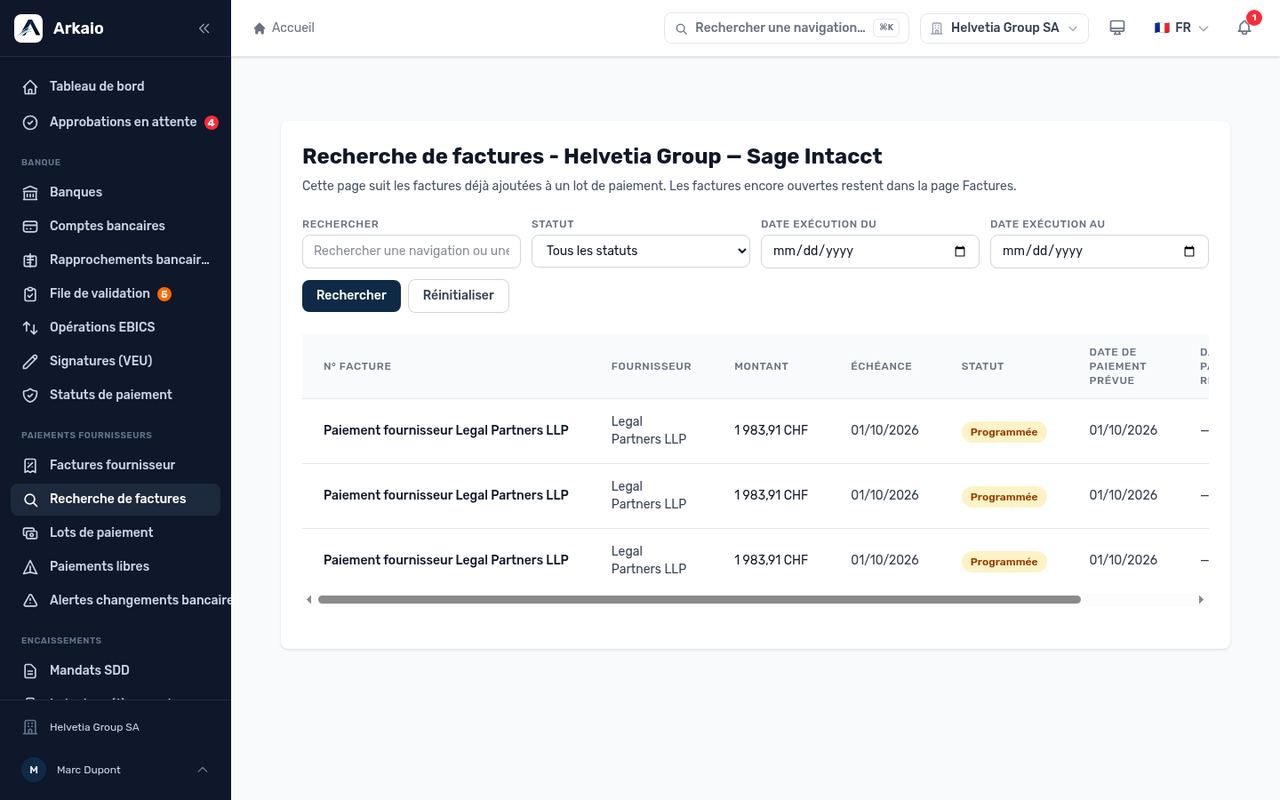
Bill search
Updated on October 17, 2026
Can’t find your answer?
Our support team is here to help.
Contact support