The Accounting settings button on the loan page opens this loan's Intacct settings. An empty field uses the default value, shown in gray. The View default values link opens the settings shared by all loans.
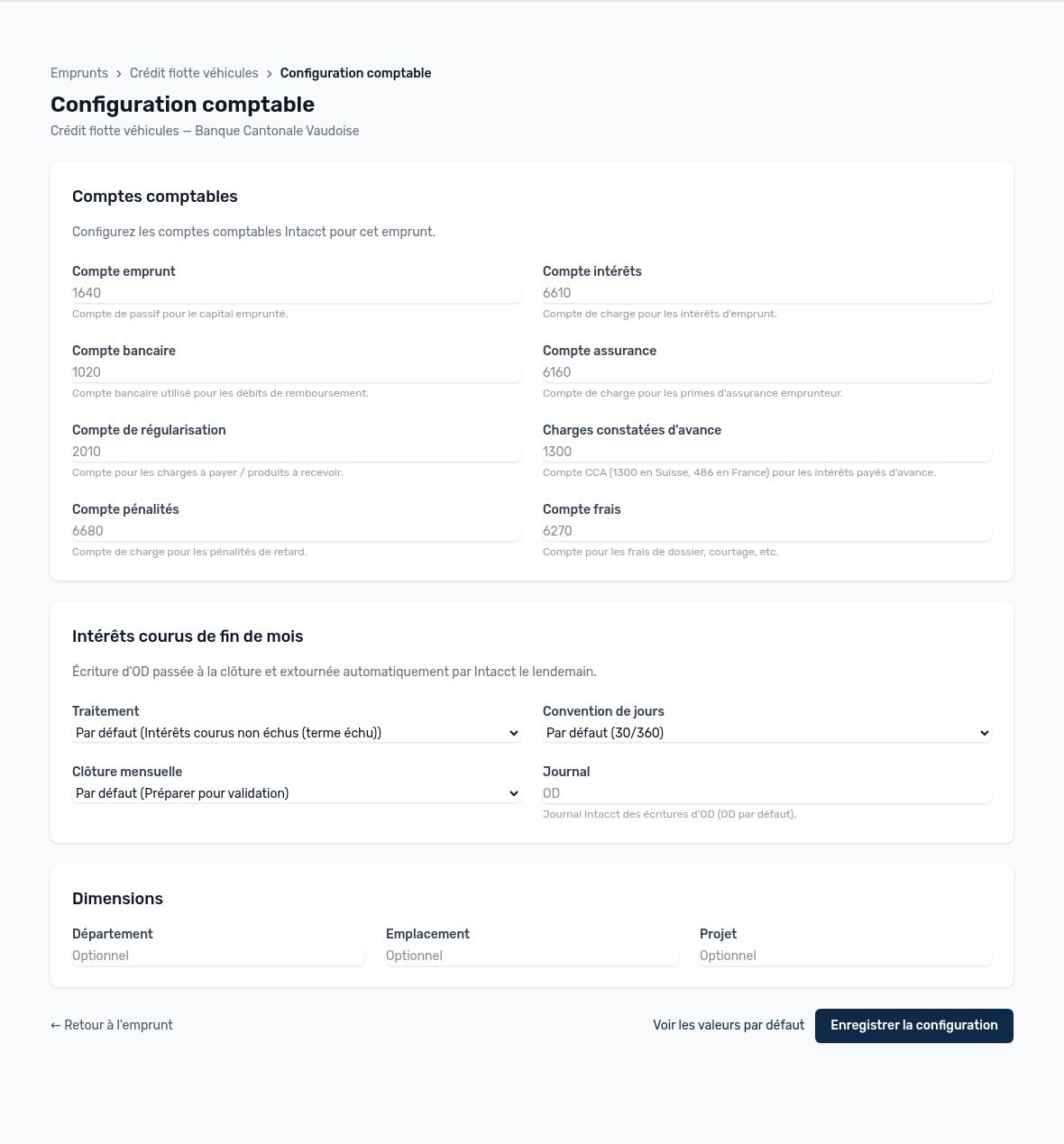
Accounting settings for a loan
| Setting | Purpose |
|---|---|
| Loan account | Liability account for the borrowed principal. |
| Interest / insurance / fees / penalties account | Expense accounts for interest, insurance premiums, processing and brokerage fees, and late payment penalties. |
| Bank account | Account debited by the repayments. |
| Accrual account | Accrued expenses, used for accrued interest at month-end. |
| Prepaid expenses | Prepaid expense account (1300 in Switzerland, 486 in France) for interest paid in advance. |
| Treatment | None, accrued interest not yet due (payment in arrears) or prepaid expense (payment in advance). |
| Day count convention | 30/360, Actual/360 or Actual/365: the basis for calculating accrued interest. |
| Monthly closing | “Prepare for approval” (entries wait for your review) or “Post directly”. |
| Journal | Intacct journal for miscellaneous entries (OD by default; replace it with your own Intacct journal code if it differs). |
| Dimensions | Department, location, project: optional, carried over to the entries. |
| Intercompany | For an intercompany loan: the lending company's Intacct bank account is required. Without it, Intacct rejects the loan's bank entries. |
Tip — The accrued interest entry is posted at month-end closing and automatically reversed by Intacct the next day: you do not need to cancel anything manually.
Updated on October 17, 2026
Can’t find your answer?
Our support team is here to help.
Contact support