Click New loan. You enter the loan in a wizard with several steps, shown at the top of the page:
- The Next button stays grayed out until the required fields (*) of the step are filled in.
- A completed step is checked. You can click a previous step to correct it, or go back with Previous.
- The number of steps varies. Historical import only appears if the loan already has past installments. Intercompany appears if other group companies exist. Accounting appears if a Sage Intacct connection is configured.
- Nothing is saved until you click Save on the last step. Cancel discards your entries.
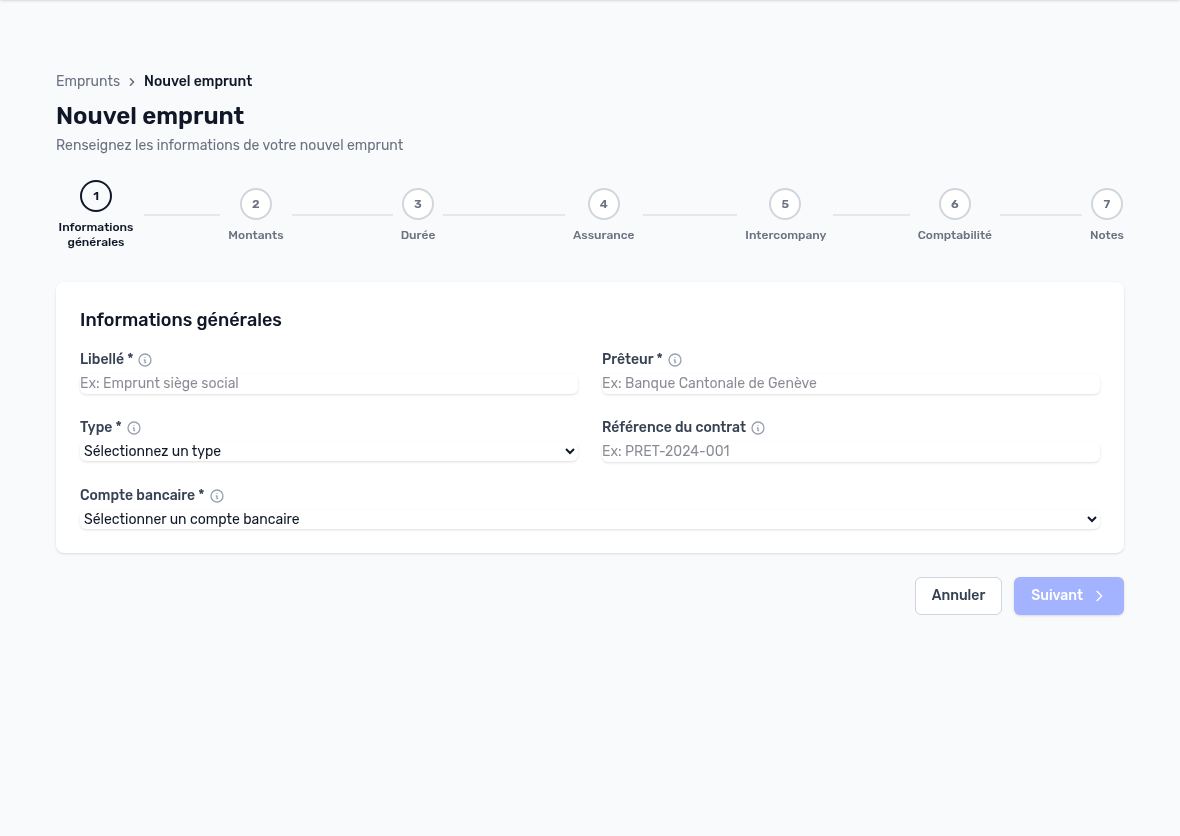
Creation wizard: empty step 1, Next button grayed out
Step 1 — General information
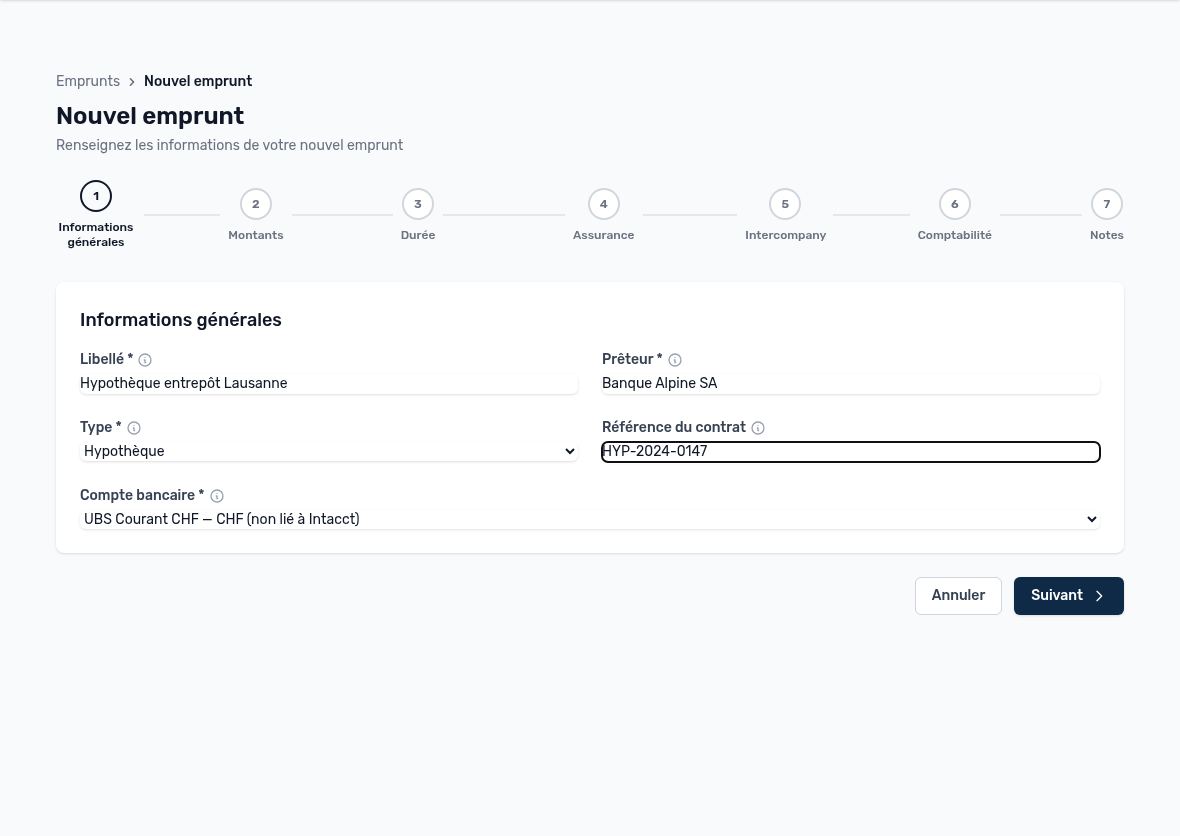
Step 1: general information
| Field | Purpose | Advice |
|---|---|---|
| Name * | Internal name of the loan in Arkaio. | A meaningful name: purpose + location (“Lausanne warehouse mortgage”). |
| Lender * | Bank or lending institution. | Use the name from the contract. |
| Type * | Repayment method (see the table below). | It determines how the repayment schedule is calculated. |
| Contract reference | Contract number provided by the bank. | Useful for finding the contract and for reconciliation. |
| Bank account * | Arkaio account from which repayments are made. | It determines the account used for entries in Sage Intacct. The “not linked to Intacct” label indicates an account with no accounting link. |
| Type | Repayment schedule calculated by Arkaio |
|---|---|
| Amortizing, Mortgage | Constant installment: the principal repaid increases and the interest decreases with each installment. For a mortgage without amortization, choose Bullet. |
| Bullet, Revolving, Bond | Only interest is paid with each installment. The principal is repaid in a single payment at the end. |
| Lease | Periodic lease payments. A residual value may remain due at the end of the contract. |
Step 2 — Amounts
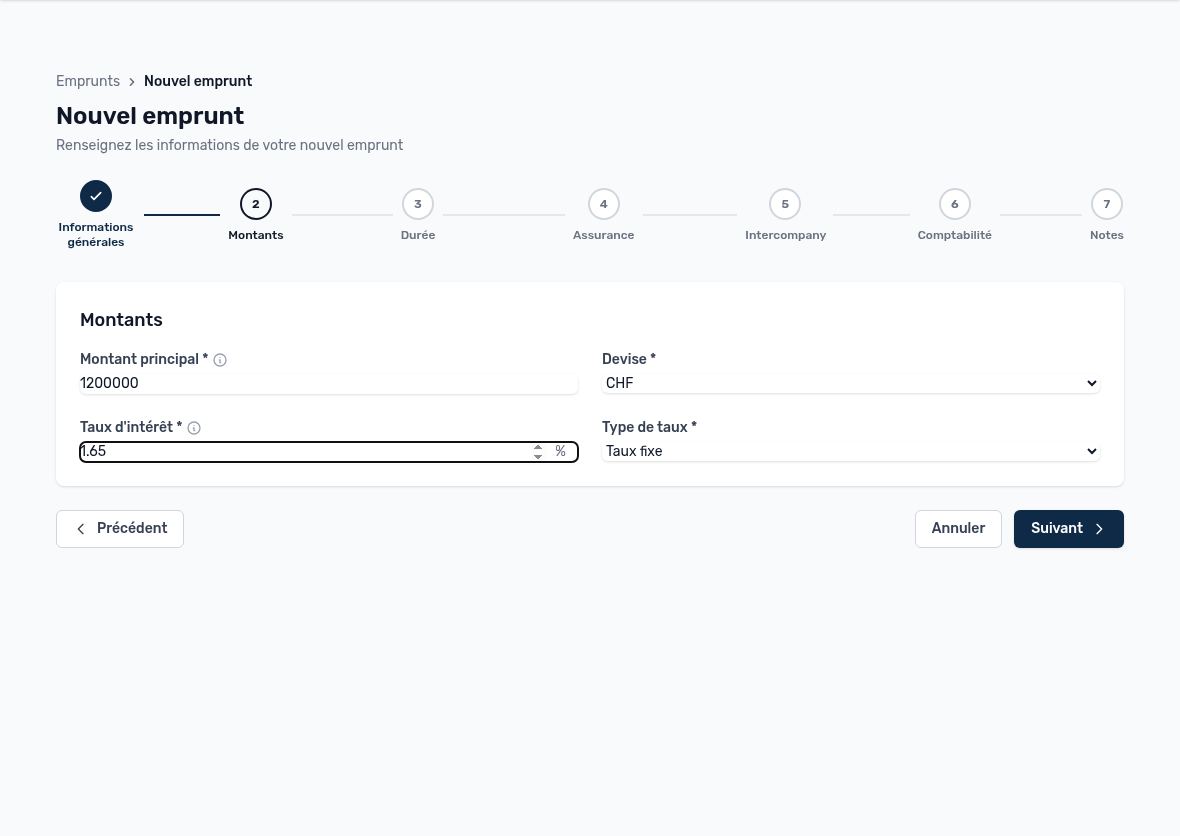
Step 2: amounts
- Principal amount *: total amount borrowed, before any repayment.
- Currency: contract currency (CHF, EUR, etc.).
- Interest rate *: nominal annual rate in %, for example 1.65 for 1.65%.
- Rate type: fixed or variable. For a variable rate, record each change with a “Rate revision” event (see the Events tab).
- Residual value: only visible for a lease. This is the amount still due at the end of the contract (purchase option).
Step 3 — Term
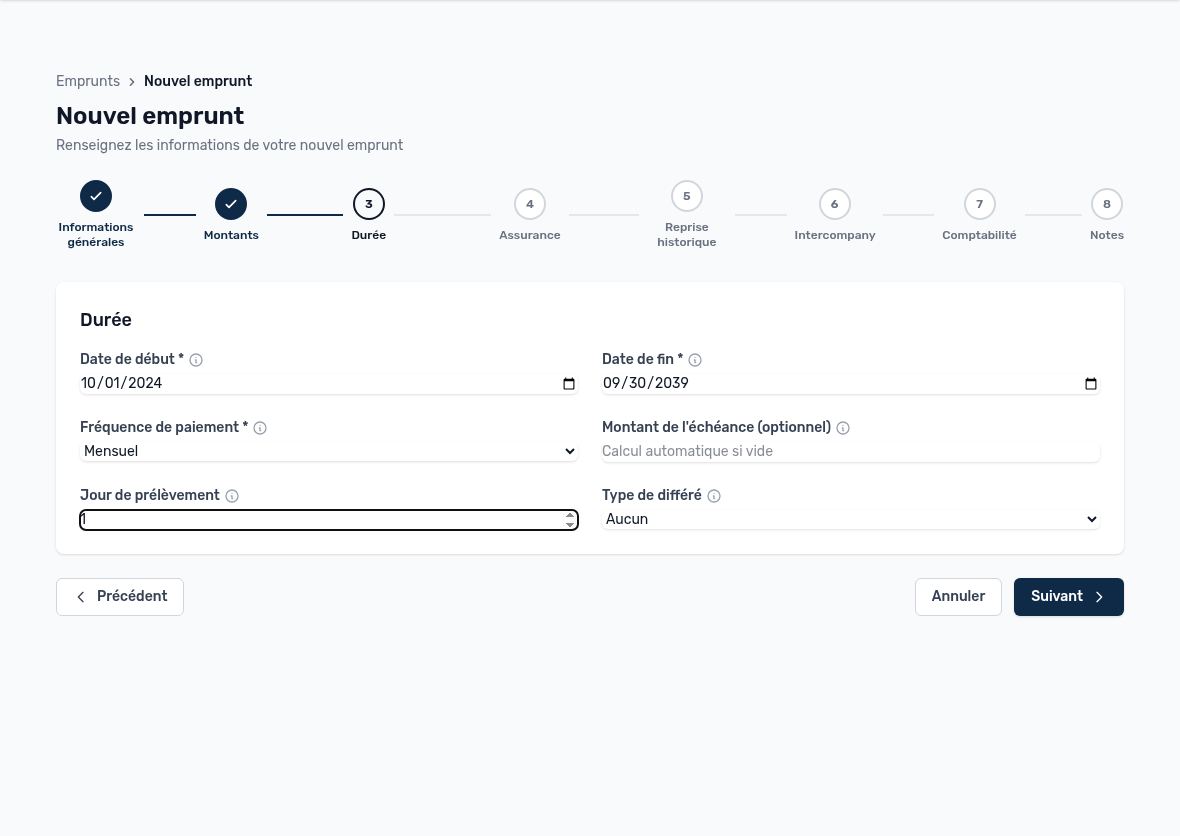
Step 3: term and repayment frequency
| Field | Purpose |
|---|---|
| Start date * | Signing or drawdown date. If it is in the past, Arkaio detects a historical import (step 5). |
| End date * | Date of the last scheduled installment. |
| Payment frequency * | Monthly, quarterly, semi-annual or annual. It is also used to count the installments already past. |
| Installment amount | Optional. Leave empty for a theoretical calculation. If you enter the exact amount stated by the bank, it replaces the automatic calculation. |
| Debit day | Day of the month (1 to 31) on which the bank debits the installment. If empty, Arkaio uses the day of the start date. |
| Deferral type | None, Partial (interest only during the deferral) or Full (no payment during the deferral). |
| Deferral months / Deferral end | Visible if a deferral is selected. Each field is calculated from the other: enter either one. |
Tip — Enter the installment amount stated by the bank: your installments then match the bank debits to the cent and automatic reconciliation works better.
Step 4 — Insurance
Check Insurance if the loan is covered by borrower insurance. The following fields appear:
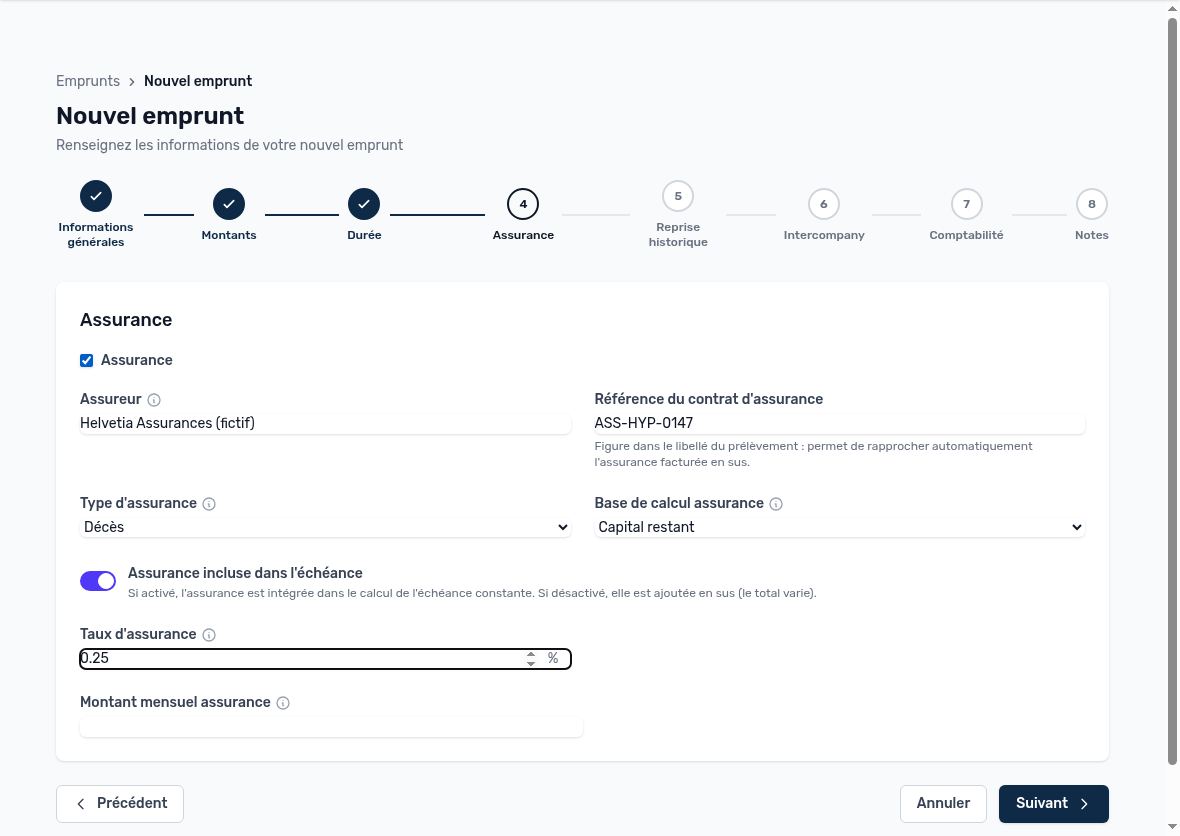
Step 4: borrower insurance
| Field | Purpose |
|---|---|
| Insurer | Organization insuring the borrower (the bank or a third-party insurer). |
| Insurance contract reference | It appears in the debit description. Arkaio uses it to automatically reconcile insurance charged on top of the installment. |
| Insurance type | Death, Disability, Job loss or Multi-risk. |
| Calculation basis | “Outstanding principal” or “Initial principal”: the premium is a percentage of this principal. “Fixed amount”: the premium is a constant amount. |
| Insurance included in installment | On: insurance is included in the constant installment. Off: it is added to the installment and the total varies. |
| Insurance rate | Annual rate as a % of principal (for example 0.25). Used with the “Outstanding principal” and “Initial principal” bases. |
| Monthly insurance amount | Insurance portion of the monthly installment, with the “Fixed amount” basis. |
Step 5 — Historical import (automatic)
If the start date is in the past, Arkaio counts the installments that have already elapsed and adds this step. It lets you bring an ongoing loan into Arkaio without entering its entire history:
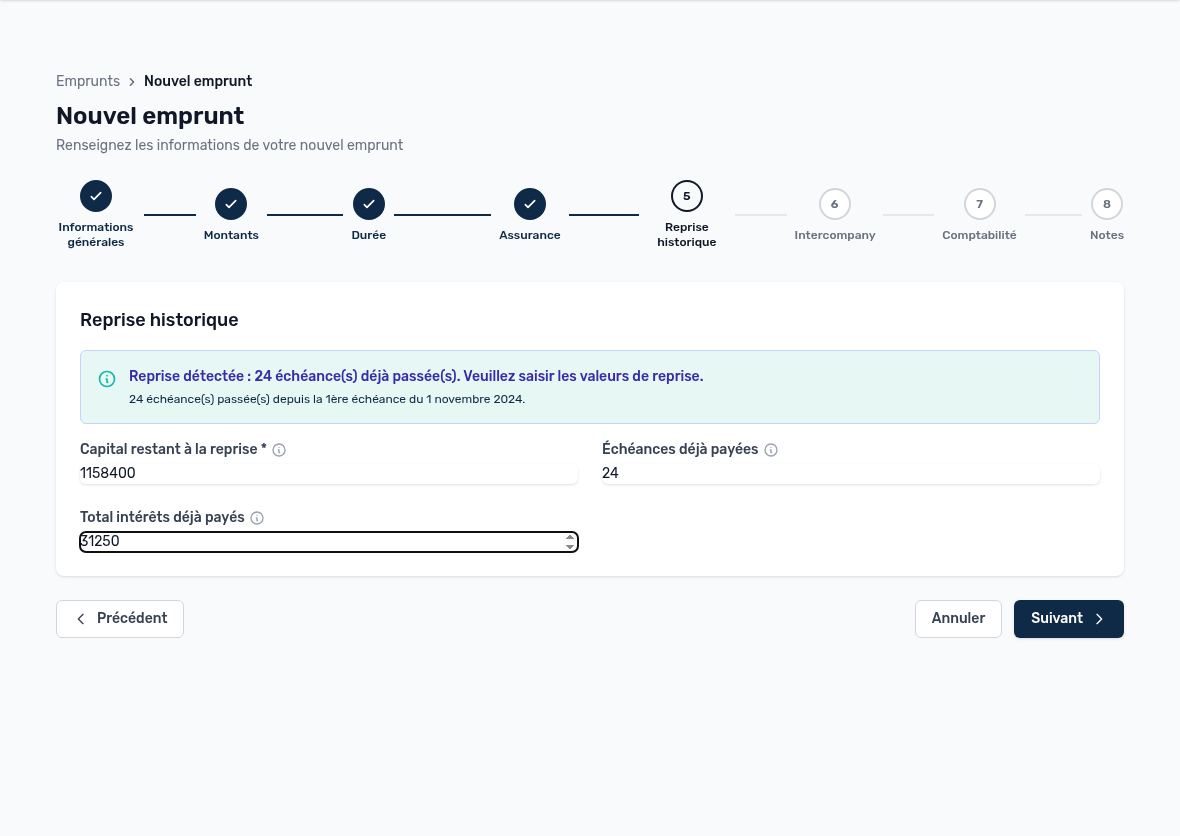
Step 5: importing an ongoing loan
- Outstanding principal at import *: principal still due as of today, according to the bank's latest statement.
- Installments already paid: prefilled with the number of elapsed installments. Correct it if necessary.
- Total interest already paid: optional. It completes the loan cost statistics.
Important — An imported loan has no disbursement to post: the Post disbursement action is not available for it, because the principal is already in your accounts.
Step 6 — Intercompany
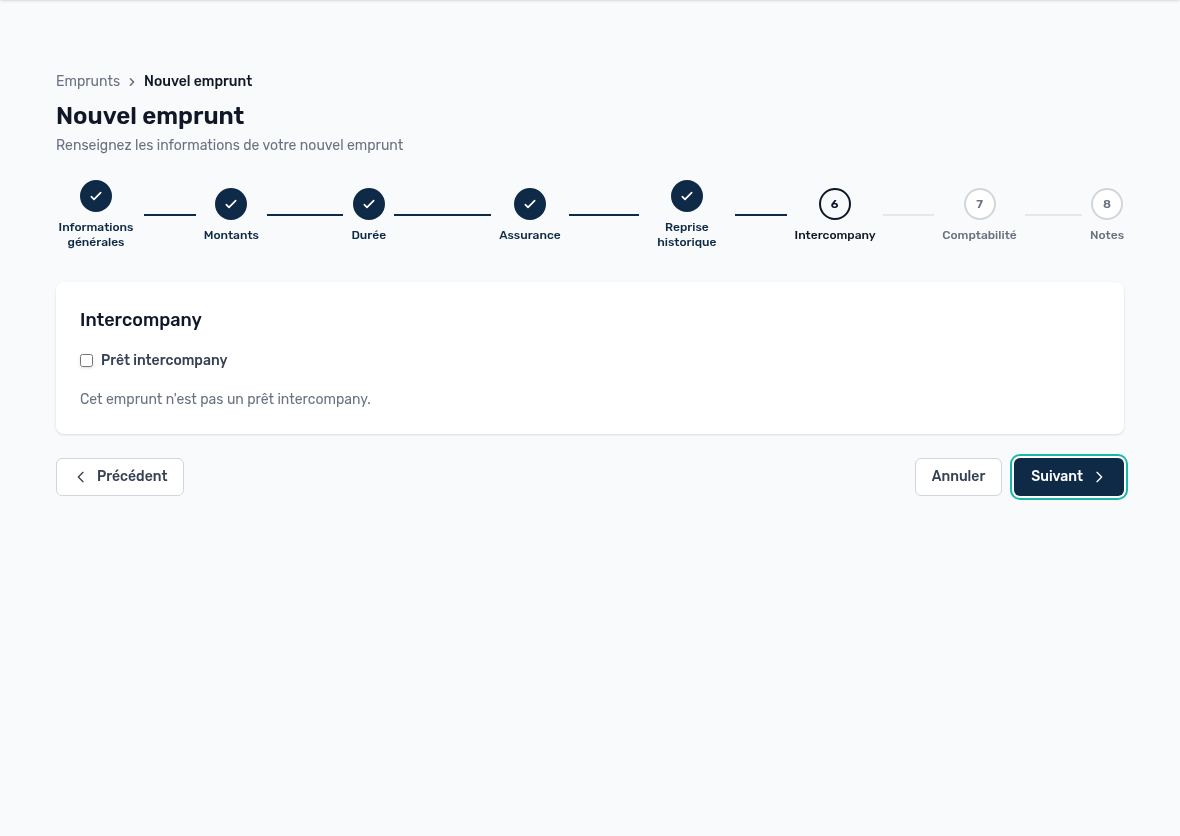
Step 6: intercompany loan
Check Intercompany loan if the loan is granted by another group company. Then choose the counterparty company and the intercompany account. Otherwise, leave the box unchecked and go to the next step.
Step 7 — Accounting
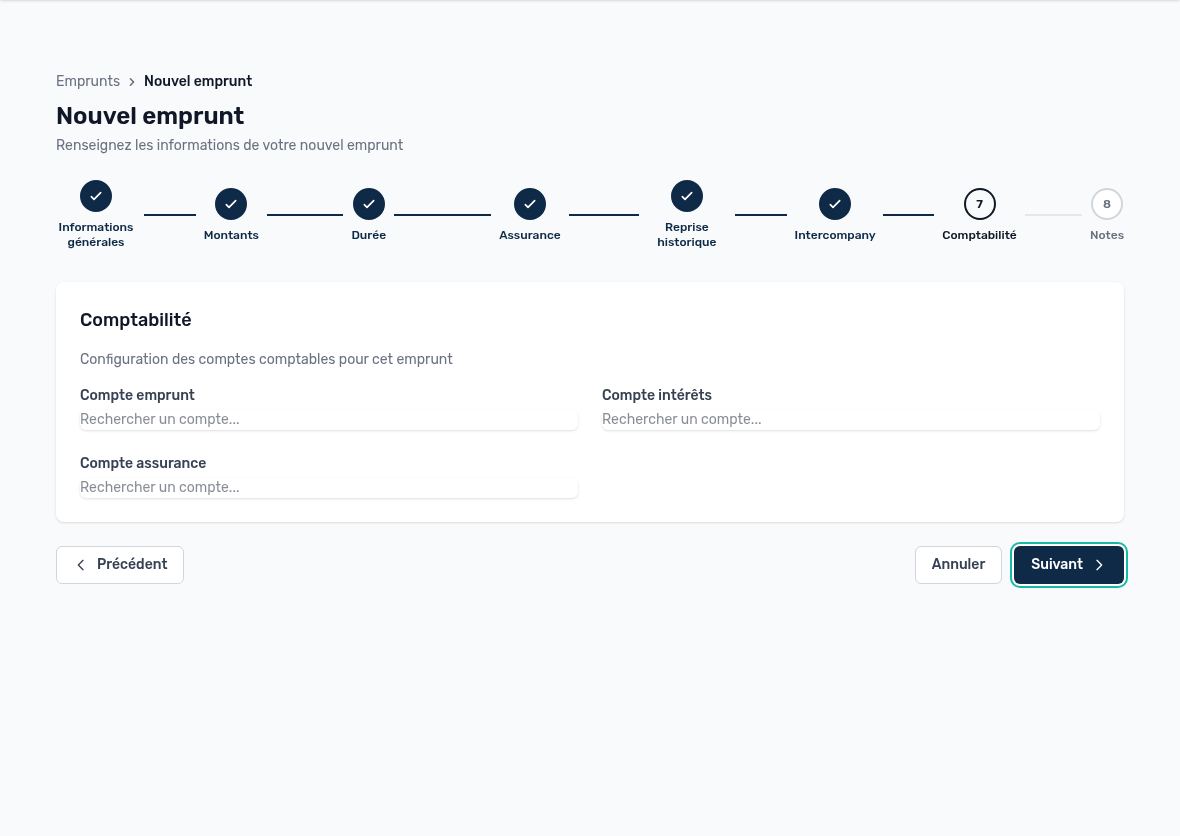
Step 7: Intacct GL accounts
Search for accounts in the Intacct chart of accounts by typing their number or name: loan account (principal liability), interest account (expense) and insurance account (expense). If you leave them empty, Arkaio uses the default values from the loan accounting settings. The other accounts (fees, penalties, accruals, etc.) are then set in the loan's Accounting settings.
Step 8 — Notes, then Save
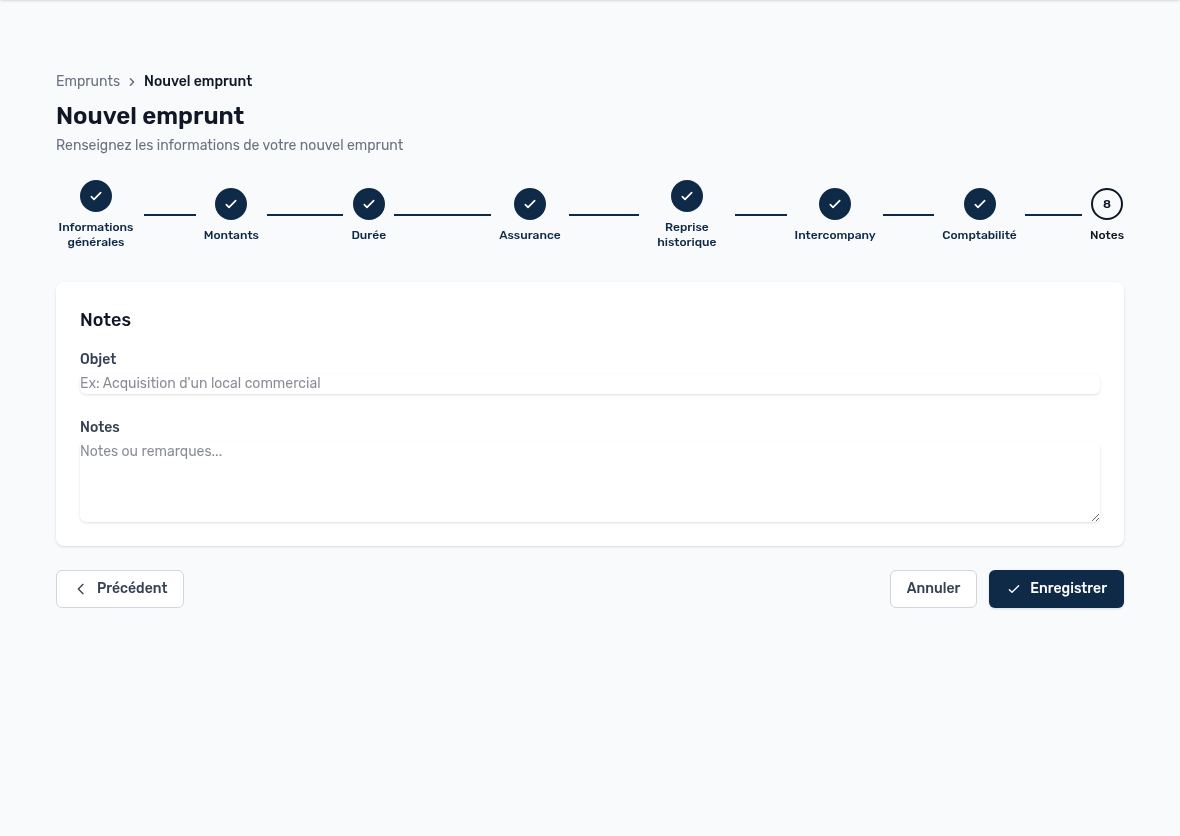
Step 8: purpose and notes, Save button
Enter the purpose of the financing and, if needed, internal notes. Click Save: Arkaio creates the loan and calculates its full repayment schedule (principal, interest, insurance, balance) based on the selected type.
Updated on October 17, 2026