Policy header
Above the tabs, enter the policy's Name, an optional Description and the Active checkbox: an inactive policy is ignored without being deleted. The Priority field sets the policy's position in the evaluation order: 1 = evaluated first. If left empty when the policy is created, it is added in last position. Entering a position automatically shifts the other policies (for example, a new policy with priority 1 moves the former number 1 to 2). You can also change the order by dragging and dropping rows in the policy list: both methods change the same priority.
Conditions tab
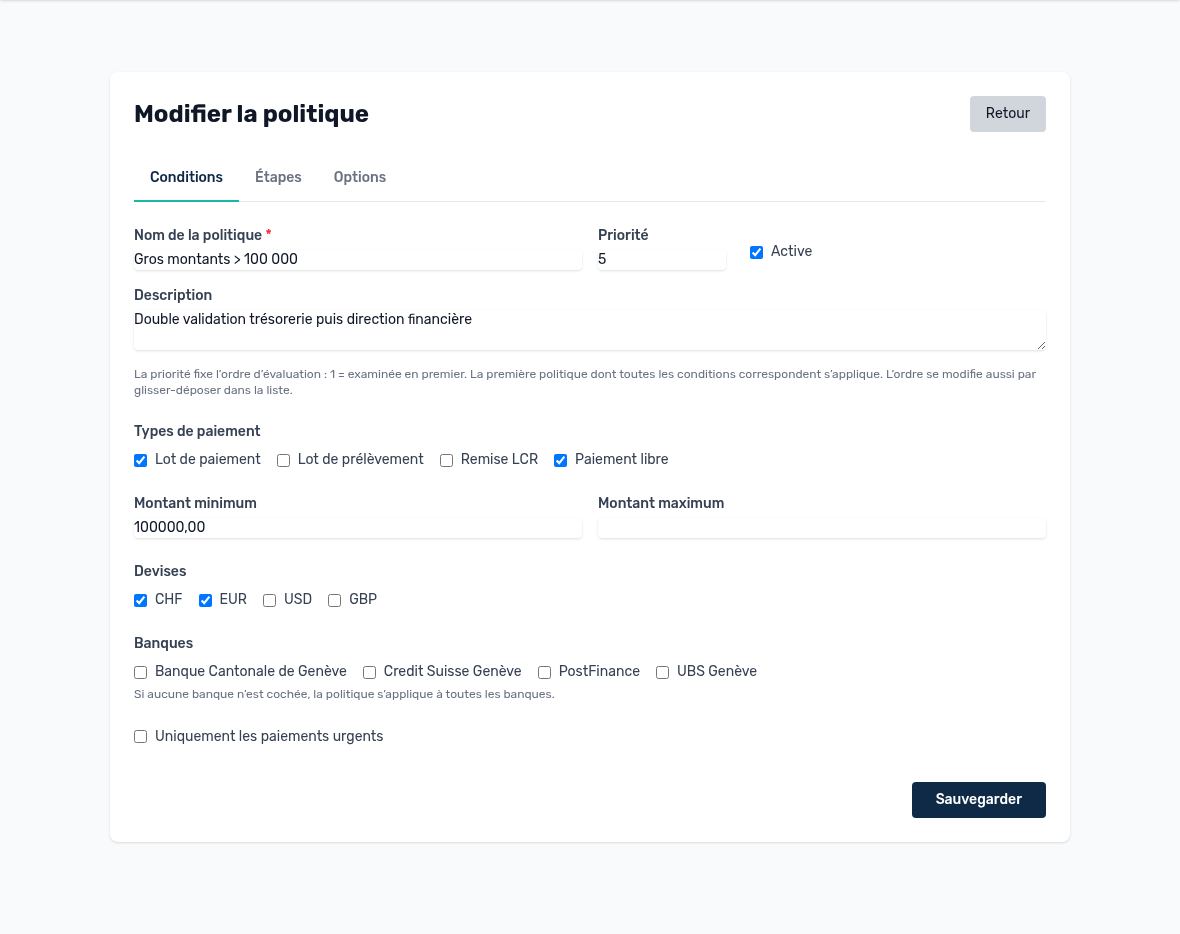
“Large amounts ≥ 100,000” policy — Conditions tab
| Condition | How it works | If empty |
|---|---|---|
| Payment types | Payment batch (vendors), Direct debit batch (SDD), LCR remittance, Free payment. Select one or more types. | All types |
| Minimum amount | The batch total must be greater than or equal to this threshold. | No minimum |
| Maximum amount | The total must be less than or equal to this ceiling. Useful for creating non-overlapping bands (0–9,999.99, 10,000–99,999.99, ≥ 100,000). | No maximum |
| Currencies | The policy only applies to batches in these currencies. | All currencies |
| Banks | The policy only applies to payments issued from one of the selected banks (the bank chosen on the batch or the free payment). A payment with no bank is not covered by a policy restricted to banks. The list only appears if the company has at least one bank. | All banks |
| Urgent payments only | The policy only applies to payments marked as urgent. | All payments |
Tip — Thresholds compare amounts without currency conversion: 100,000 CHF and 100,000 EUR are treated the same. If your thresholds depend on the currency, create one policy per currency.
Steps tab
Each step specifies who approves (approver type) and how many approvals are required (group mode).
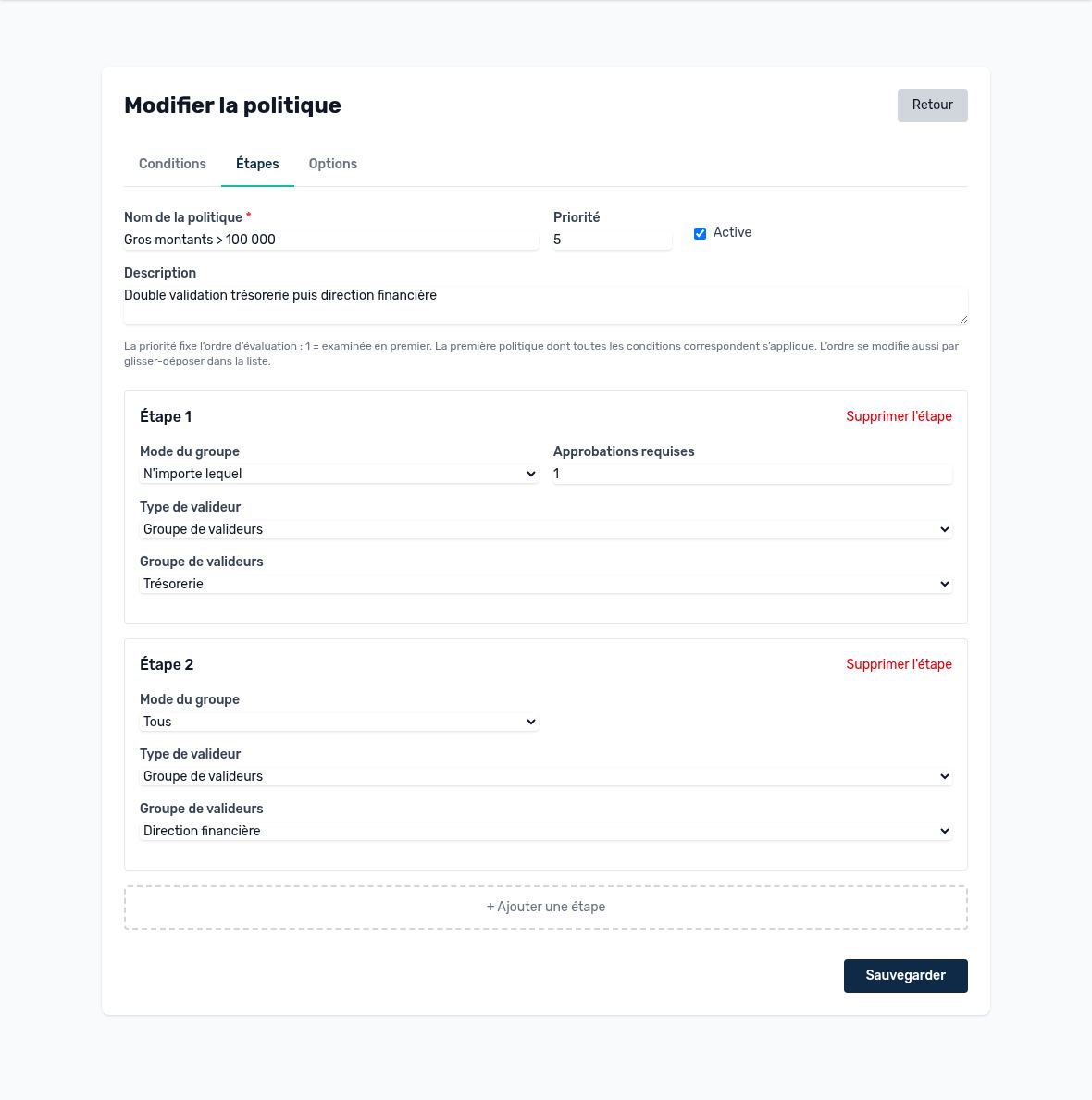
Two steps: Treasury (1 from the group), then Finance management (all)
| Approver type | Who can vote |
|---|---|
| Approver group | Active members of the selected group. Recommended: you update the group without touching the policies. |
| Role | All users of the company who have this role (e.g. Controller). |
| Permission | All users of the company who have this permission (e.g. approve payments). |
| Specific users | A list of named people. Handy for a special case, but must be updated whenever someone leaves. |
| Group mode | Step approval rule | Example |
|---|---|---|
| Any | The step is approved as soon as N approvers have approved (N = “Required approvals”). | 1 member of Treasury, or 2 controllers out of 5 |
| All | All members must approve. A delegate voting for a member counts for that member. | The CFO and the financial controller |
| Dynamic | An authorized user designates, when the step is reached, the people who must approve. The step is approved as soon as one of them approves. | The manager designates the approvers depending on the case |
The “Required approvals” field only appears in “Any” mode.
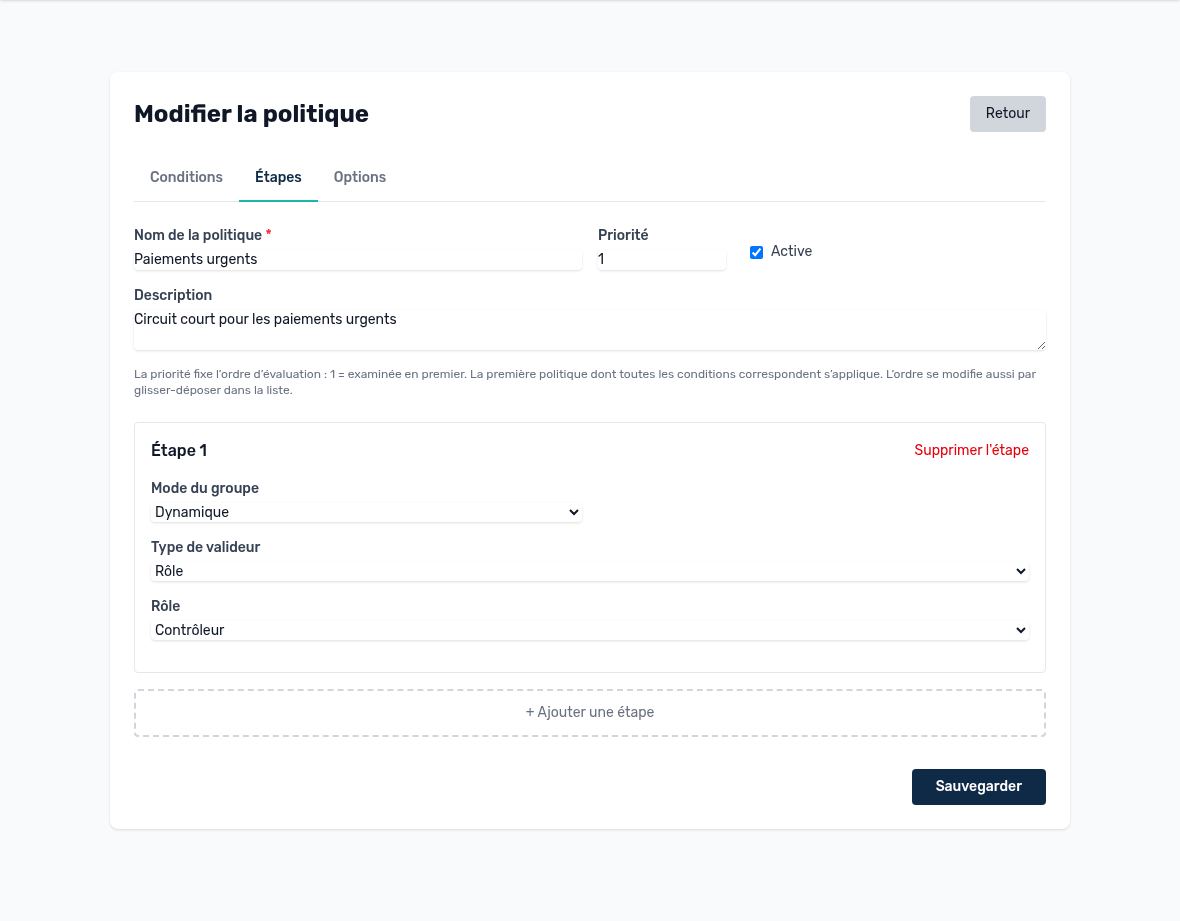
“Urgent payments” policy: a dynamic step among controllers
Options tab
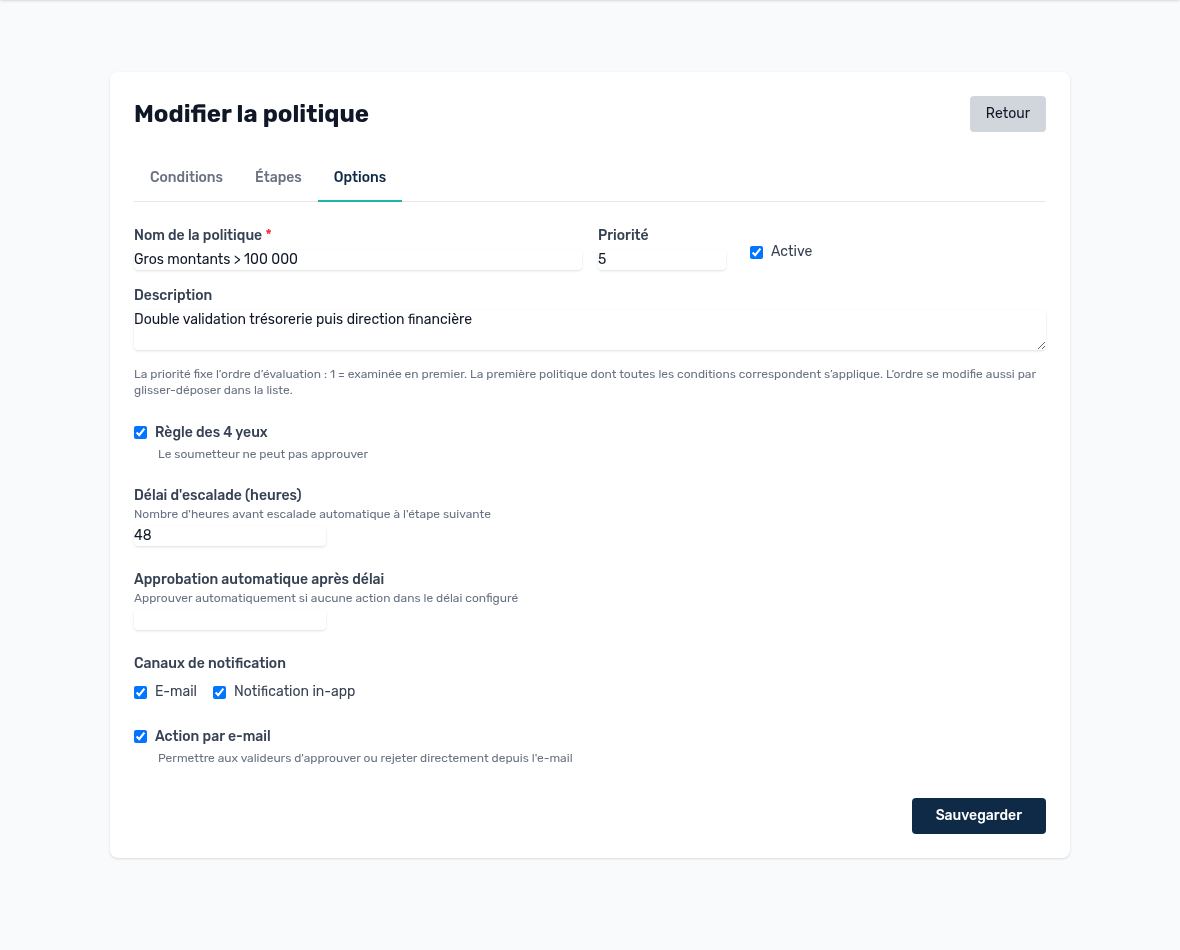
Options: four-eyes principle, time limits and notifications
| Option | Effect |
|---|---|
| Four-eyes principle | The person who submitted the batch cannot approve it, either directly or through a delegation. Strongly recommended, enabled by default. |
| Escalation delay (hours) | If the step is not approved within this time, the request automatically moves to the next step. If it was the last step, the request stays pending and the approvers receive a reminder. |
| Auto-approve after (hours) | If nobody acts within this time, the request is approved automatically. |
| Notification channels | Email and/or in-app notification in Arkaio to alert approvers at each step. |
| Email action | Approvers can approve or reject directly from the email, through a signed, time-limited link. |
Important — Escalation and auto-approval move a request forward without a human vote. Reserve them for circuits where a delay costs more than the risk (low-value urgent payments). For large amounts, leave these fields empty.
Updated on October 17, 2026