An approval workflow defines who must approve what, in which order and within what time frame before a payment goes to the bank. It applies to vendor payment batches, direct debit batches (SDD), LCR remittances and free payments.
Terminology
| Term | Definition |
|---|---|
| Policy | A complete rule: conditions (which payments), steps (who approves) and options (time limits, notifications). A company can have several policies. |
| Priority | Order in which policies are evaluated: priority 1 is tested first. |
| Step | One approval level. Steps follow one another in order: step 2 only starts once step 1 is approved. |
| Approver | Person authorized to approve or reject at a step. |
| Approver group | Named list of people that can be reused in several policies (e.g. “Treasury”, “Finance management”). |
| Quorum | Number of approvals required to complete a step. |
Simple circuit or Advanced workflow
Without the Advanced workflow option, Arkaio applies a simple circuit configured in the settings: if “Require approval for batches” is enabled, any batch above the minimum amount must be approved by an authorized person; administrators and controllers are exempt. With the option, the policies described below apply: as soon as an active policy exists, the simple circuit is no longer used.
Important — In the simple circuit, an administrator or a controller can send a batch without approval. For strict separation of duties, enable Advanced workflow with the four-eyes principle.
How Arkaio selects the policy
- When a user submits a batch, Arkaio takes the company's active policies, sorted by priority (1, then 2, then 3, and so on).
- It tests the conditions of each one. The first one that matches is selected; the following ones are ignored.
- If none matches, the batch does not need approval and can be sent directly.
- The selected policy is copied into the approval request: changing the policy afterwards has no effect on requests already in progress.
Important — Give the highest priority (the lowest number) to the most specific policies. If an “all payments” policy has priority 1, it captures everything and the following policies are never used.
Tip — To make sure no payment leaves without a check, create a policy with no conditions (all types, all amounts) and a simple step as your lowest priority.
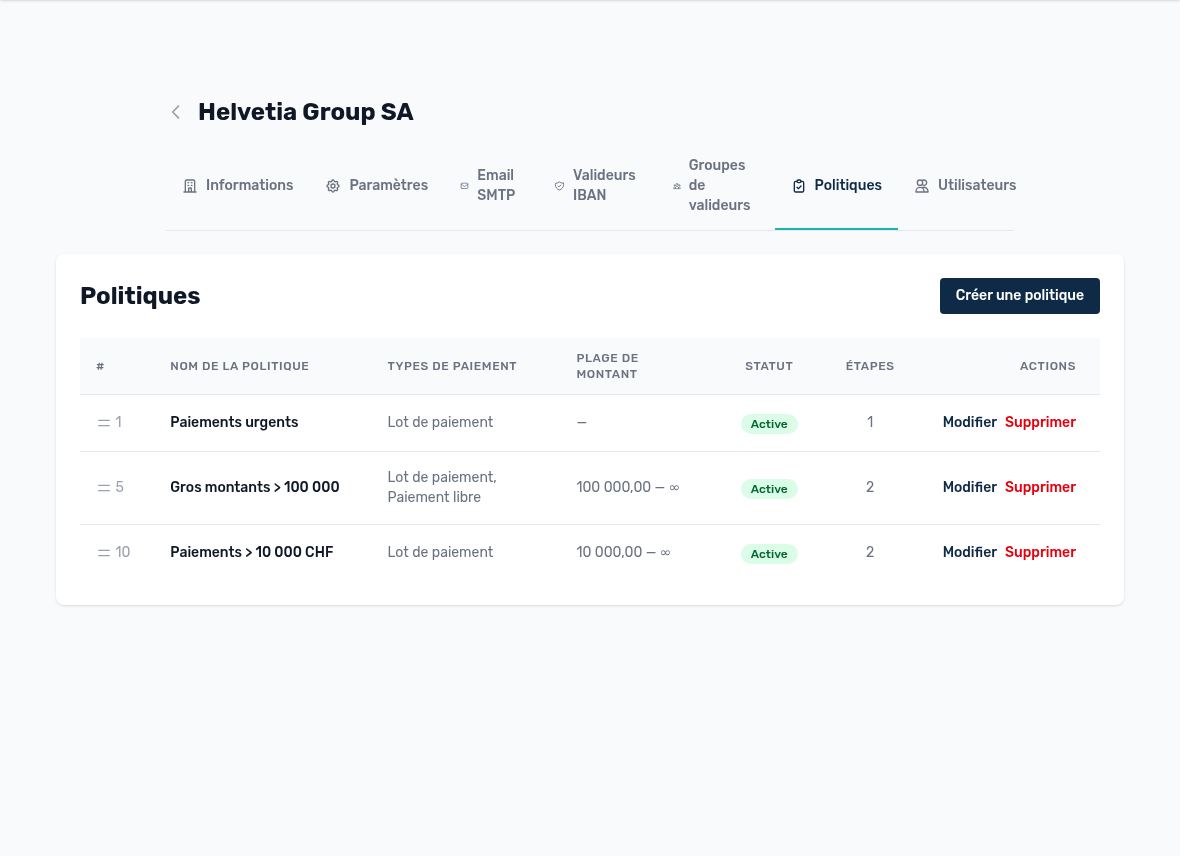
A company's policy list, with priority and conditions
Updated on October 17, 2026