Company information
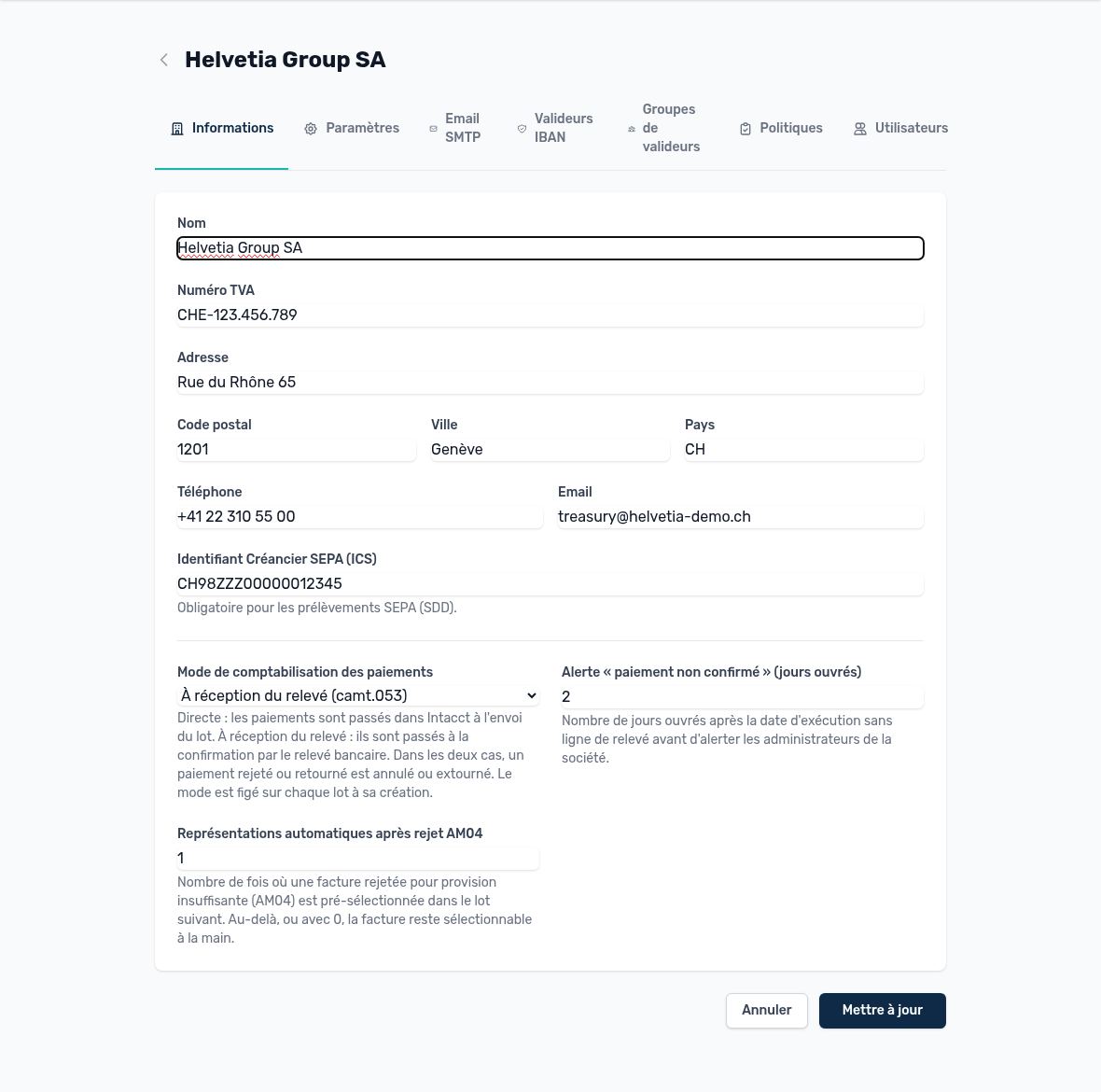
A company's Information tab
| Field | What it is for | Advice |
|---|---|---|
| Name, address, country | Legal name used in bank files (originator, creditor). | Must match exactly the name known to the bank. |
| VAT / UID number | Legal identification of the company. | Swiss format CHE-123.456.789. |
| Phone, email | Contact displayed, and recipient of the company's alerts. | Use a team address rather than a personal one. |
| SEPA Creditor Identifier (CI) | Required to issue SDD direct debits. | Provided by the bank; without a creditor identifier, no SDD batch can be generated. |
| Payment posting mode | Direct: the payment is posted in Intacct when the batch is sent. On receipt of bank statement (camt.053): it is posted when the bank statement confirms the debit. | The “on receipt of bank statement” mode avoids posting a payment that the bank has rejected. The mode is locked on each batch when it is created. |
| “Unconfirmed payment” alert (business days) | Number of days after the execution date without a bank statement line before administrators are alerted. | 2 business days is a good starting value. |
| Automatic re-presentations after AM04 rejection | Number of times an invoice rejected for insufficient funds is preselected in the next batch. | 0 = never; the invoice then remains available for manual selection. |
Organization (tenant) and company settings
The Settings screen exists at two levels. At organization level, it sets the default values. At company level, each setting can inherit the organization's value or be overridden locally. An overridden setting is flagged; simply switch back to inheritance to use the shared value again.
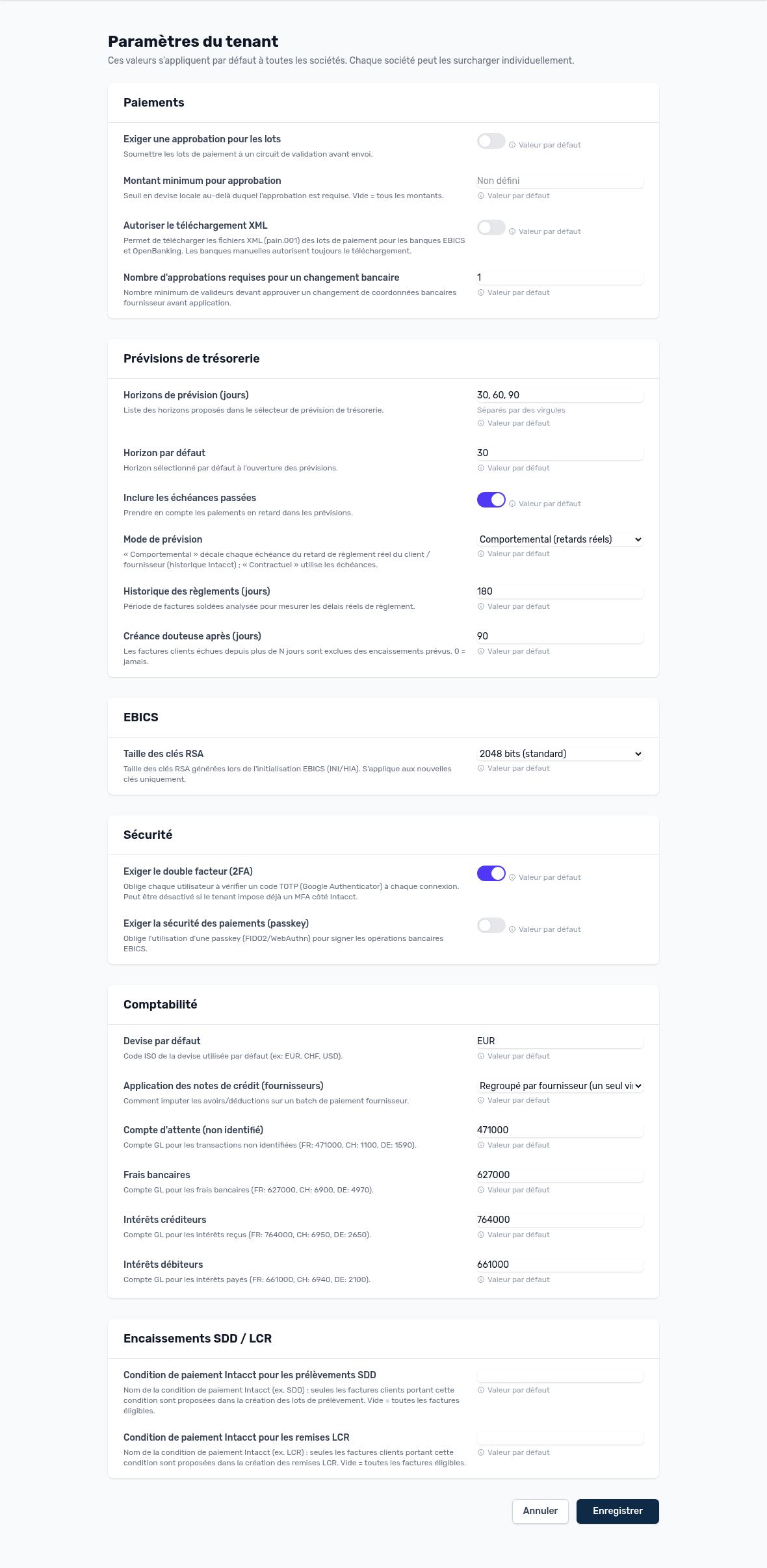
Organization settings
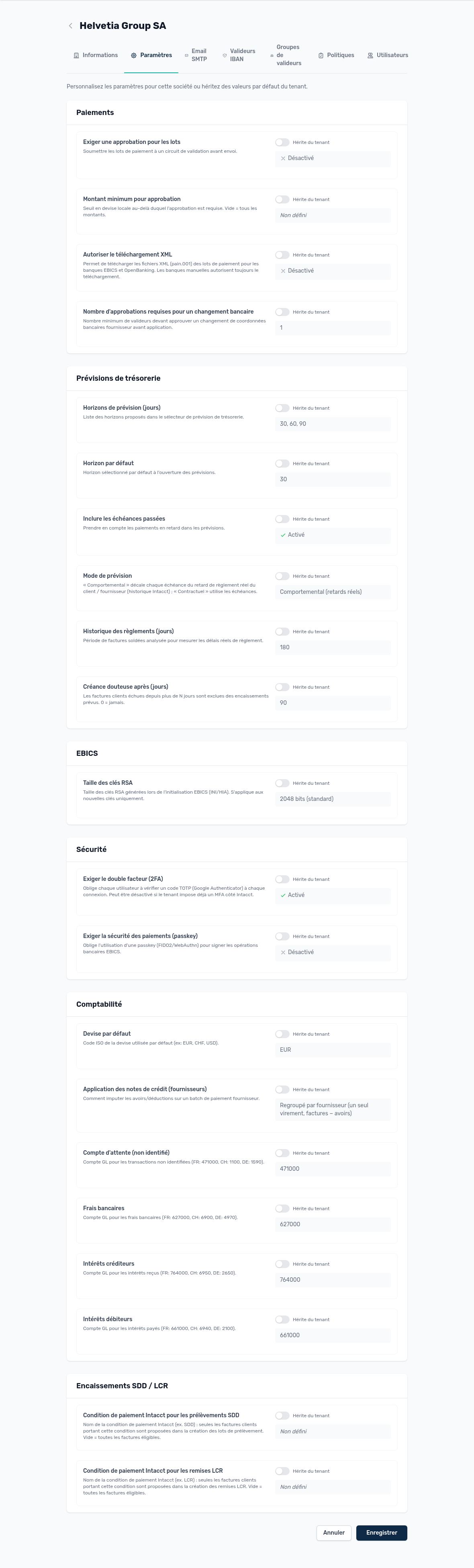
Company settings: inherited or own value
| Area | Setting | Effect | Default |
|---|---|---|---|
| Payments | Require approval for batches | Payment batches go through an approval circuit before sending (simple circuit, without Advanced workflow). | No |
| Payments | Minimum amount for approval | Below this amount, no approval (simple circuit). Empty = all amounts. | Empty |
| Payments | Allow XML download | Lets you download a batch's pain.001 file (for checking or for sending outside EBICS). | — |
| Payments | Approvals for an IBAN change | Number of different approvers required to accept new vendor bank details. | 1 |
| Forecasts | Available horizons / default horizon | Periods offered in the cash forecast. | 30, 60, 90 / 30 days |
| Forecasts | Include past due items | Includes overdue invoices in the forecast. | Yes |
| Forecasts | Forecast mode | Behavioral: date estimated from each customer's payment history. Contractual: invoice due date. | Behavioral |
| Forecasts | History analyzed | Number of days of payments used for the behavioral mode. | 180 days |
| Forecasts | Doubtful receivables after | A receivable overdue by more than N days is excluded from the forecast. | 90 days |
| EBICS | RSA key size | Size of the keys generated when signatories are initialized. | 2048 bits |
| Security | Require two-factor authentication | 6-digit code requested by Arkaio. Does not apply to sign-in with Sage Intacct: in that case, Intacct handles two-factor authentication. | Yes |
| Security | Require a passkey to sign | A FIDO2 / WebAuthn key (USB key, fingerprint, Face ID) is requested for each bank signature. | No |
| Accounting | Default currency | Currency offered by default on screens. | EUR |
| Accounting | Credit memo application | How vendor credit memos are applied to the invoices to be paid in a batch. | Grouped |
| Accounting | GL accounts | Suspense account for unidentified transactions, bank fees, interest income and interest expense accounts used by bank reconciliation. | To be defined |
| SDD / LCR | SDD / LCR payment term | Only customer invoices with this Intacct payment term are offered for direct debit or LCR. Empty = all eligible invoices. | Empty |
Important — The GL accounts must exist in the Intacct chart of accounts of each entity: a missing account causes the posting of fees and unidentified transactions to fail (visible in the Intacct log).
Tip — Enable “Require a passkey to sign” as soon as your signatories are equipped: it is the strongest protection against the takeover of a signatory account.
Updated on October 17, 2026