Banks
The Banks page lists the banks of the selected company. For each one, it shows the connection type, the status (New, Initialized, Active), the contract type (T or E), the Host ID and EBICS version, the date the capabilities were last synchronized and the certificate expiration date.
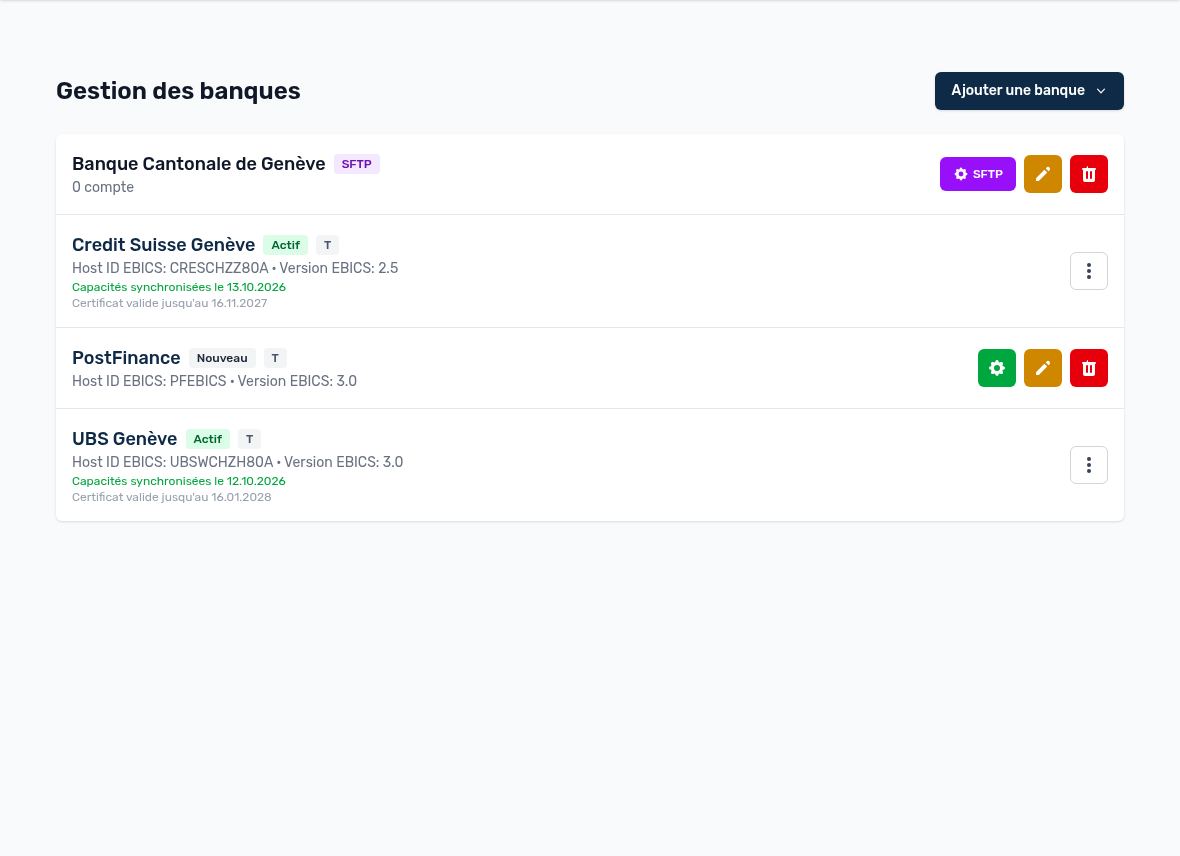
EBICS banks (active and new) and an SFTP bank
Add a bank
The Add a bank button (administrators only) offers several connection types:
- EBICS bank: direct connection over the EBICS protocol (bank statements, payments, signatures). This is the most common setup in Switzerland, France and Germany.
- OpenBanking (Bridge): connection via Open Banking / PSD2, to read the accounts and transactions of a bank without an EBICS contract.
- SFTP connection: file exchange (pain.001, camt.053…) with the bank's SFTP server. Requires the SFTP option of your subscription.
- Manual bank: generates XML payment files (pain.001) only; you download them and import them into your e-banking yourself.
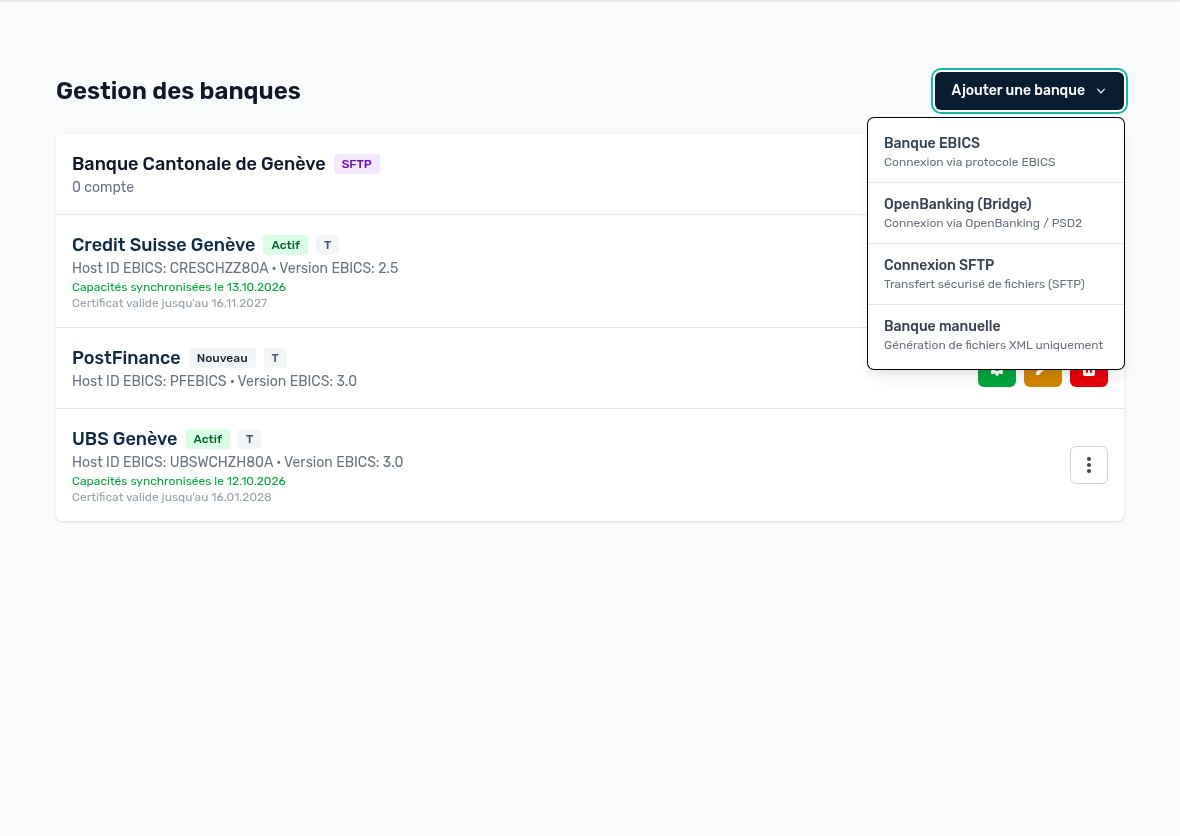
Choosing the connection type
Updated on October 17, 2026
Can’t find your answer?
Our support team is here to help.
Contact support