After you add an SFTP bank, Arkaio opens the SFTP configuration page; you can return to it later with the bank's purple SFTP button. The settings are provided by the bank.
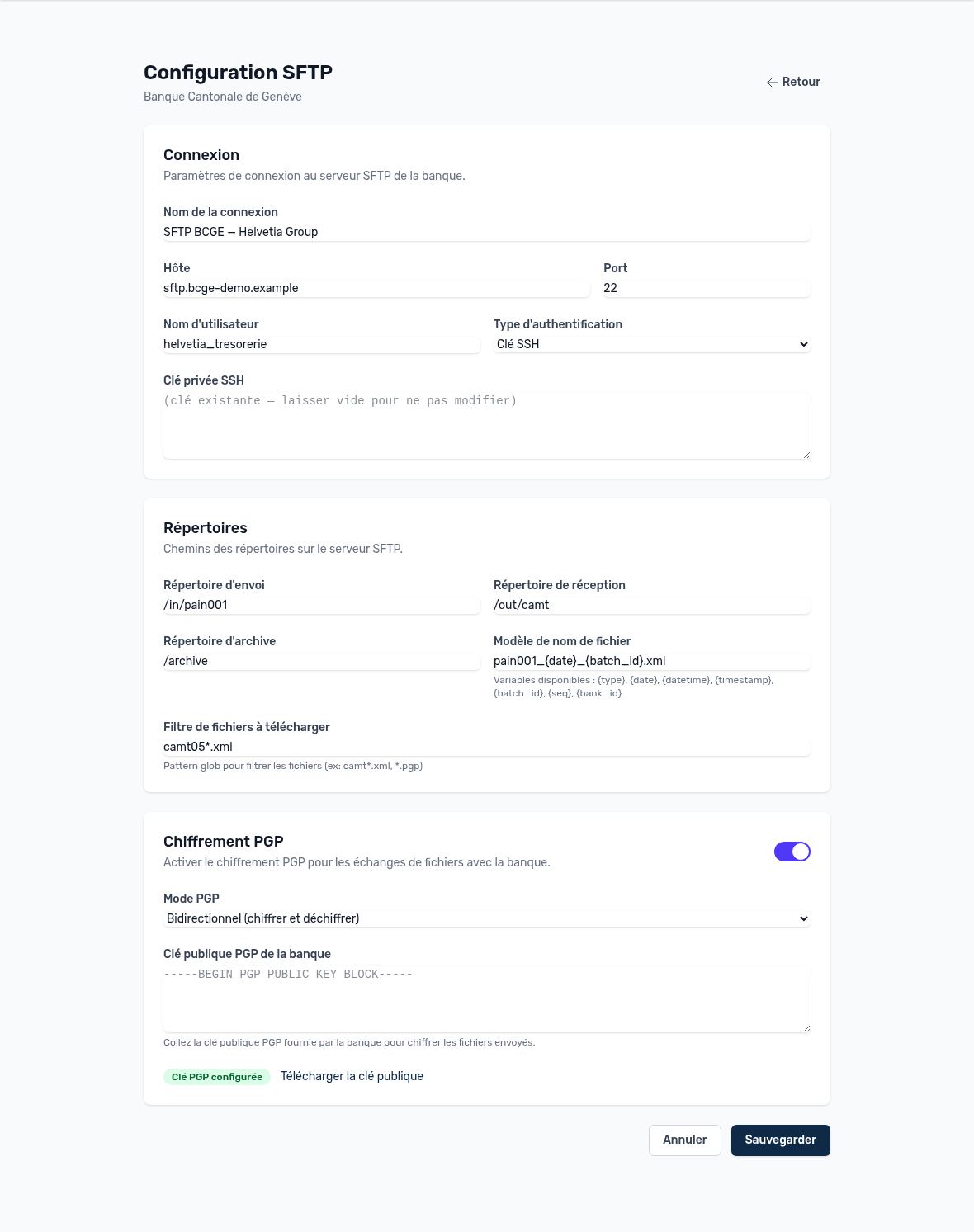
SFTP configuration of a bank
| Section | Field | Purpose |
|---|---|---|
| Connection | Name, host, port | Address of the bank's SFTP server (usually port 22). |
| Connection | Username, authentication type | Password or SSH key. The private key and the password are stored encrypted and are never displayed again: leaving the field empty keeps the existing value. |
| Directories | Upload directory | Folder where Arkaio places the payment files. |
| Directories | Download directory | Folder where the bank places statements and notifications (camt.053, camt.054, pain.002). |
| Directories | Archive directory | Optional: folder where processed files are moved. |
| Directories | File name pattern | Name of the files sent. Variables: {type}, {date}, {datetime}, {timestamp}, {batch_id}, {seq}, {bank_id}. Example: pain001_{date}_{batch_id}.xml. |
| Directories | Download file filter | Only files matching the filter are retrieved (for example camt05*.xml or *.pgp). |
| PGP encryption | PGP mode | Encrypt outgoing files, decrypt incoming files, or both. |
| PGP encryption | Bank's PGP public key | Provided by the bank, used to encrypt the files you send. |
| PGP encryption | Generate a PGP key pair | Creates Arkaio's key; download the public key and send it to the bank so it can encrypt the files it sends you. |
Tip — Before going live, agree with the bank on a first test exchange (sending a payment file and receiving a statement) to validate the directories, file names and PGP encryption.
Updated on October 17, 2026
Can’t find your answer?
Our support team is here to help.
Contact support