From an account's page, the Transactions link opens the full history of the transactions on that account's bank statement. It is the only screen that shows all lines: those reconciled automatically with Intacct, those awaiting review and those classified as "unidentified". The Review queue only shows the lines to be reviewed.
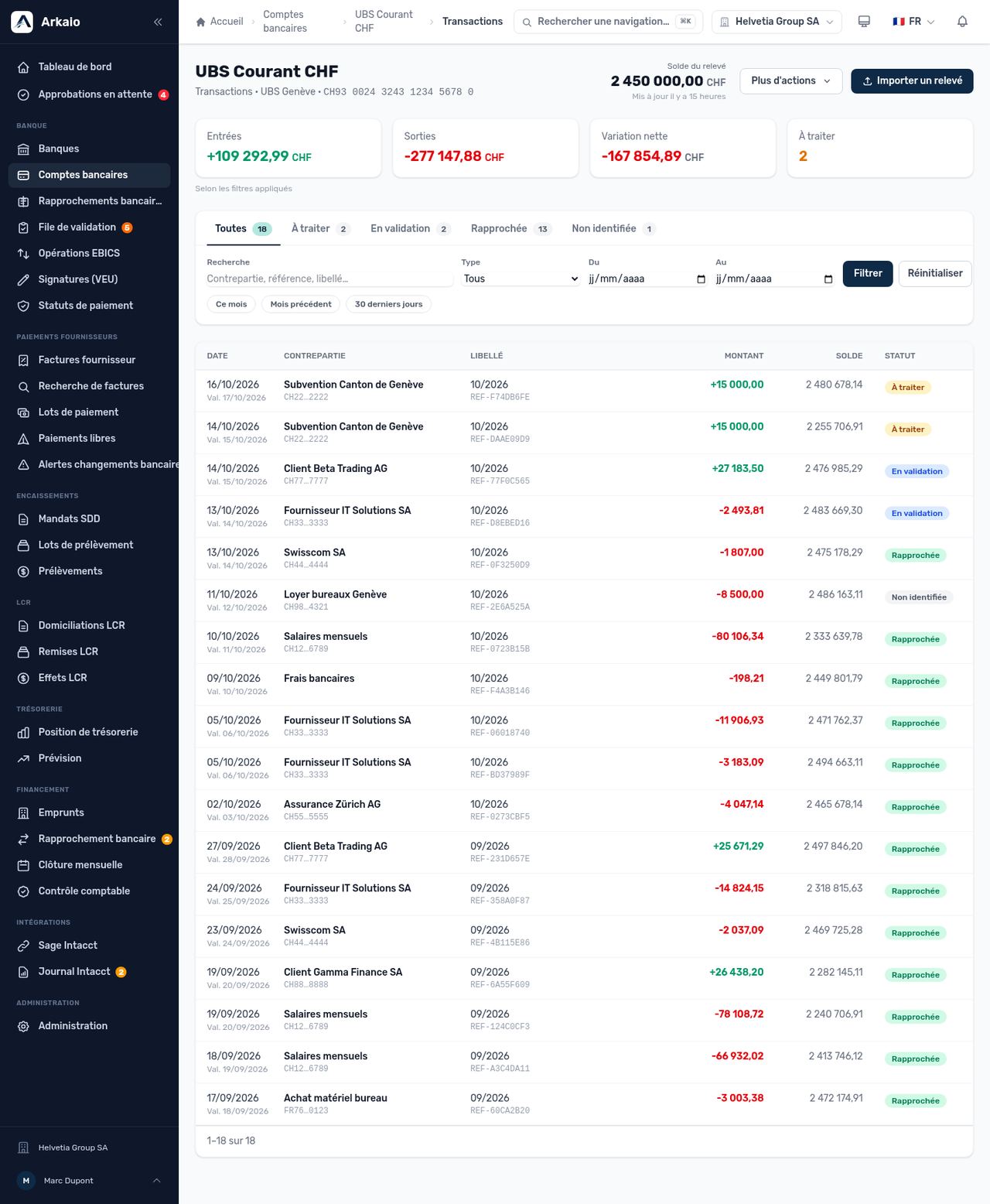
Account transactions — totals, statuses, filters and list
The top of the page shows the account name, the bank, the IBAN and the balance of the latest statement. Below, four cards summarize the current selection:
- Inflows and Outflows: total credits and debits in the selection.
- Net change: inflows minus outflows.
- To process: number of lines that Arkaio has not yet reconciled. Clicking the card filters the list on these lines.
The totals follow the search, type and period filters: filter on a month to get that month's flows.
Each line has a status:
| Status | Meaning |
|---|---|
| To process | The line is not reconciled with any Intacct entry and has not yet been sent for review. |
| In review | Arkaio has suggested a match; it is awaiting a decision in the Review queue. |
| Reconciled | The line is reconciled with an Intacct entry. |
| Unidentified | No one could match the line to an entry. It can be reopened to go back to review. |
The tabs above the filters show the number of lines in each status. The filters combine search (counterparty, reference, description, remittance information, end-to-end reference, case-insensitive), type (inflows or outflows) and period, with the shortcuts This month, Previous month and Last 30 days. Reset clears all filters.
In the list, the value date appears under the booking date when they differ, the masked IBAN under the counterparty and the reference under the description.
Transaction details
Click a line (or select it with the keyboard and press Enter) to open the details panel. It brings together all the information received from the bank: dates, the counterparty's full IBAN, description, remittance information, references (bank and end-to-end), transaction code, direct debit mandate, fees, return reason, reversal, balance after the transaction, source (CAMT.053 statement, Open Banking, manual entry…), imported statement, Intacct entry and match score. Only the information available is shown. The Esc key closes the panel.
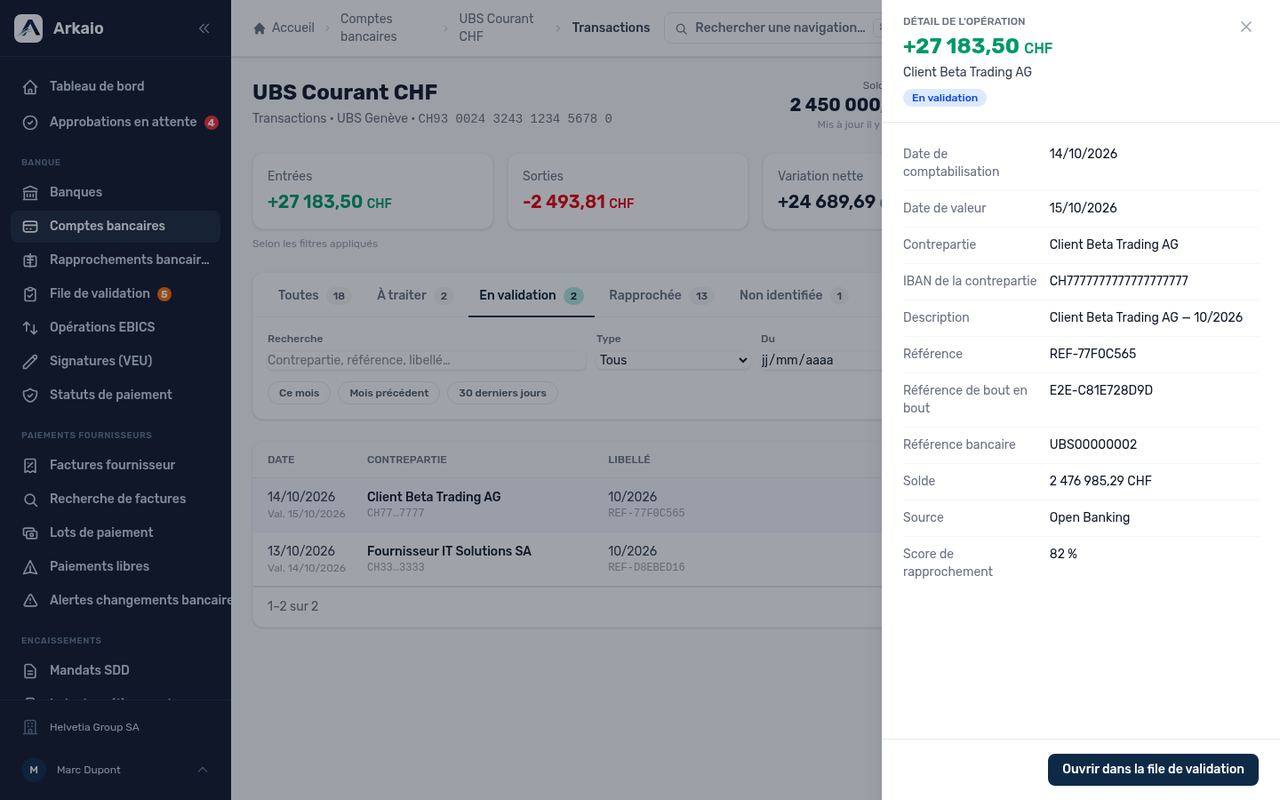
Details panel of a transaction in review
The buttons at the bottom depend on the status and on your permissions:
- Open in review queue for a line In review.
- Reopen for an Unidentified line: it goes back to review.
The More actions menu offers a CSV export of the filtered list (date, value date, counterparty, IBAN, description, references, signed amount, currency, balance, status, source) and a shortcut to the review queue. The Import a statement button leads to the import area on the account's page.
Tip — To prepare a month-end check, choose Previous month, then the To process tab: the list shows what remains to be reconciled, and the CSV export gives you a file to add to the closing file.
Updated on October 17, 2026